
Why I Rely on a “Daily Top 5” and Apple Reminders to Stay Productive
To-do lists often frustrate me. I’ve experimented with countless tools—digital apps, elaborate systems, and even simple pen-and-paper techniques—yet none delivers a truly comprehensive solution. For years I even dismissed Apple Reminders as too basic to handle my workload.
The Birth of the “Daily Top 5”
Eventually, I designed an analog approach that finally worked. Each evening I list every task for the next day, then highlight the five most important—the Daily Top 5. Regardless of scope or complexity, those five items set my agenda. I jot them on an index card and place it beside my computer so the list greets me first thing each morning.
If I complete all five tasks, I promote the next items in the queue. Anything unfinished automatically rises to the top spot the following day. The list stays “alive,” satisfying my need to check items off while keeping momentum high.
Moving the System to the Cloud
Paper, however, has clear limits: no syncing, no quick edits, no voice capture. I wanted a seamless cross-device experience, so I revisited Apple Reminders with fresh eyes.
Today I manage my Daily Top 5 in Reminders across Mac, iPad, and iPhone. I also maintain an Inbox list for every idea or task that pops up. A simple “Hey Siri, add to Inbox” captures new items instantly. This is great for in the car! Each evening I review the Inbox, promote the five highest-impact tasks to tomorrow’s Top 5, and the cycle continues.
The result: a lightweight, always-available system that combines the discipline of a prioritized paper list with the flexibility of modern tech—no more frustration required.
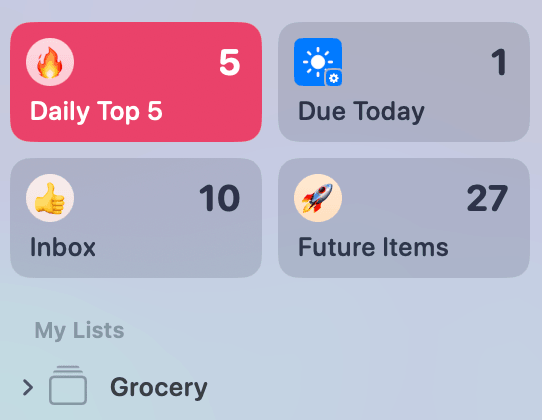
I use 5 lists on Apple Reminders:
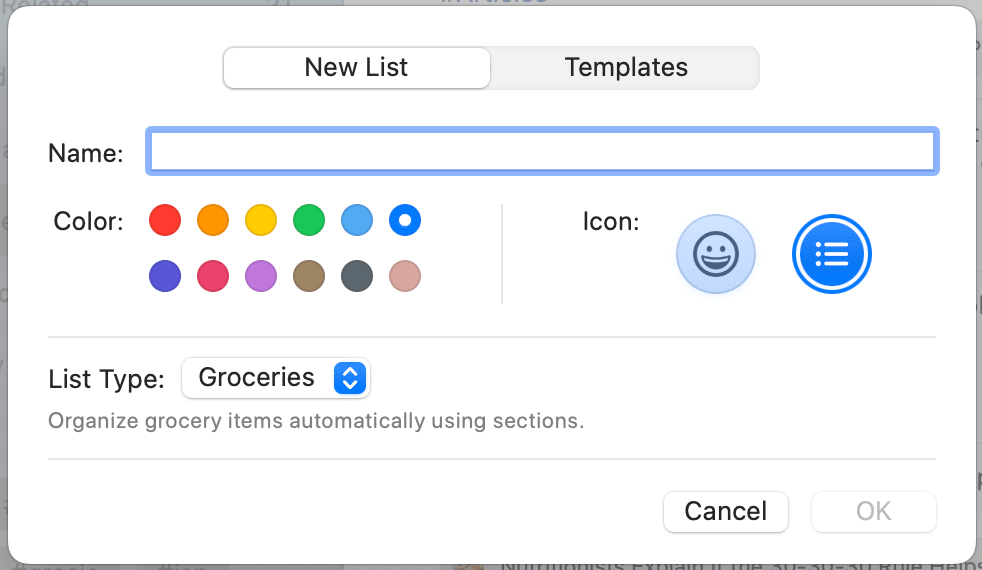
- Daily Top 5 - my holy grail of what needs to get done- Due Today (which needs a better name) - this is where dated and time based items from the Future Items go. It is a smart list so very fluid.- Future Items - This is for bill due dates, subscription reminders, anything with set date and/or time specific.- Inbox - this is where I capture everything. - Grocery - This is a collection of store based lists shared with the family. Not part of my productivity system but a very convenient way to handle these especially with Apple’s build in Groceries List Type.
What system do you use? How do you get done your work? I am always open to learning.
Latest
More from the site
Daniel
Morning Edition — September 17, 2026
⚡ The Fed Raises Rates to 4% — and Tells Trump No The Fed hiked its benchmark rate a quarter point Tuesday, to a range of 3.75%–4% — its first increase, not cut, since 2023. The vote was unanimous, an
Read post
Daniel
Morning Edition — September 16, 2026
⚡ The Fed hands down a decision today, and for once it isn't betting on a cut The Fed announces its rate decision today. After Chair Kevin Warsh's hawkish Jackson Hole remarks in late August, markets
Read post
Daniel
Beginner Walking Series: How to Work Up to 10,000 Steps a Day
Many people prioritize structured workouts, but neglect the importance of simply moving. Moving more often each day is one of the easiest ways to improve your overall health and fitness. One way to d
Read post